Dives
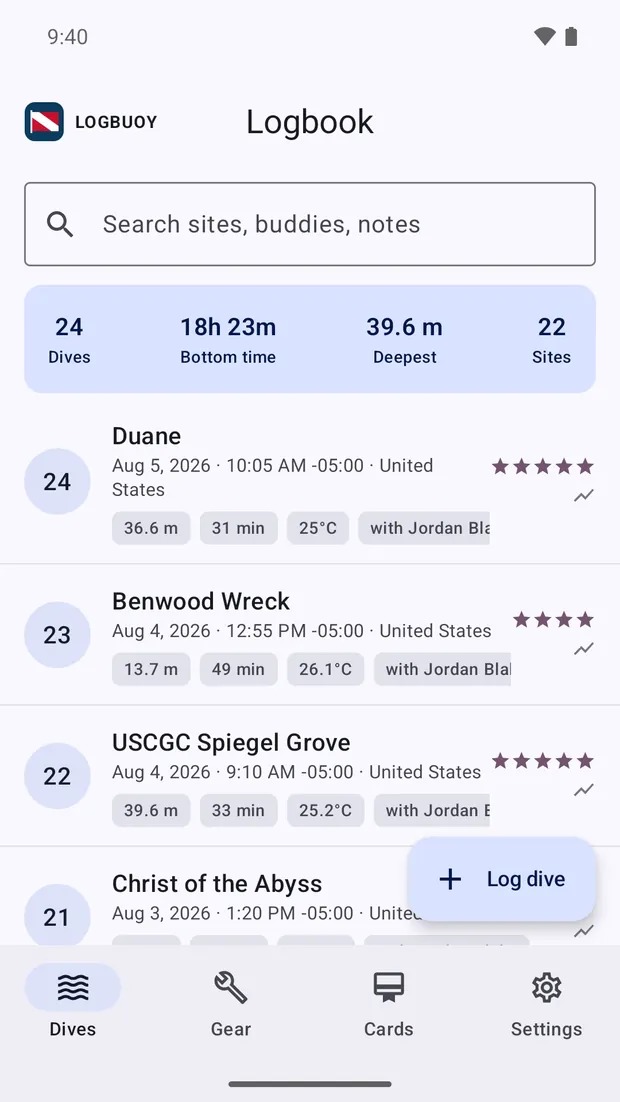
Depth, time, temperature, site, buddy, kit and notes. Entry is quick, and you can carry details across from your last dive if you want to. Photos attach to the dive and get copied in, so they stay with the record.
An Android app from Woodfire Labs
Logbuoy keeps your dives, your gear service records and your certification cards in a file on your own device. Every screen works out on the boat, with no coverage.
Three records, one app
Most dive apps log the dive and stop there. Your service stickers and your cert cards end up in a drawer at home, which is no help at all on a dock in Bali.
Depth, time, temperature, site, buddy, kit and notes. Entry is quick, and you can carry details across from your last dive if you want to. Photos attach to the dive and get copied in, so they stay with the record.
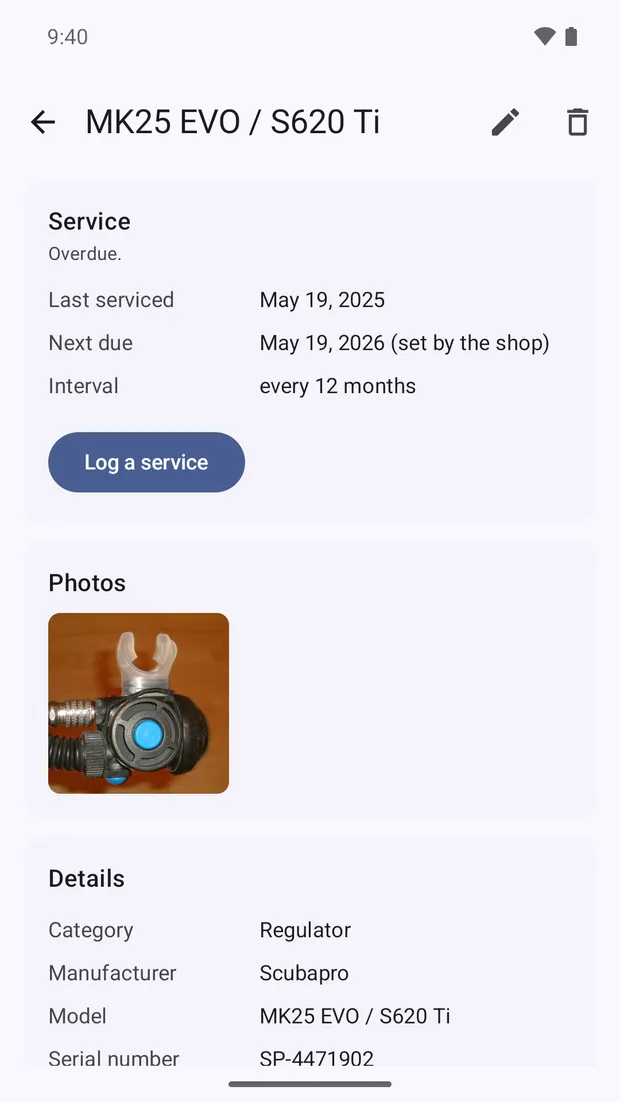
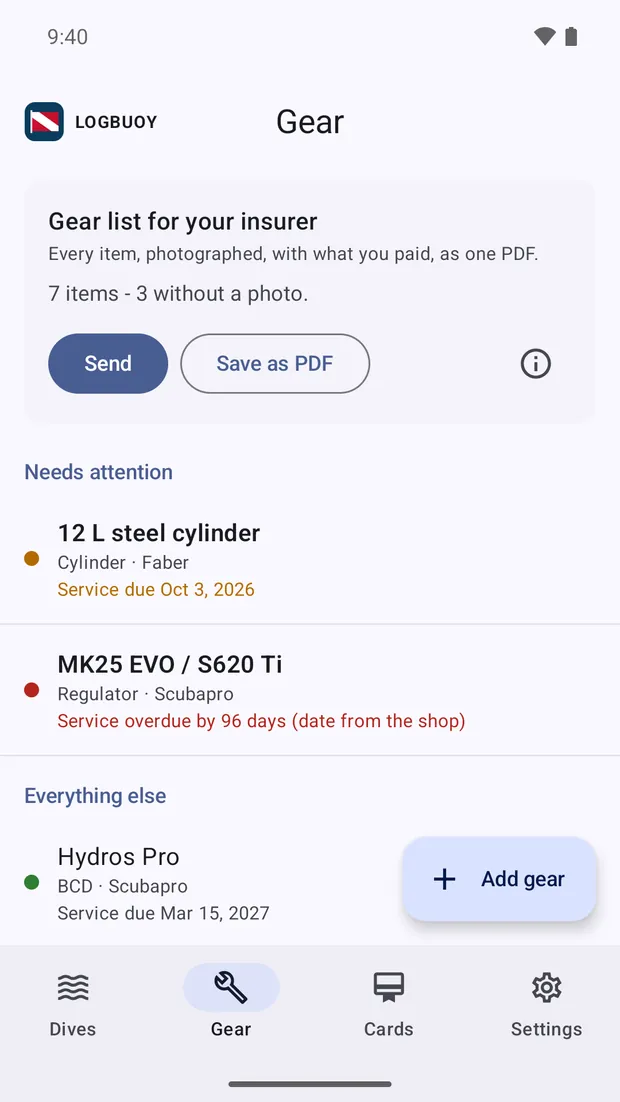
Service intervals in months or in dives, whichever falls due first. Log what the shop did and what it cost, photograph each item, record what you paid, then produce the gear list your insurer asks for.
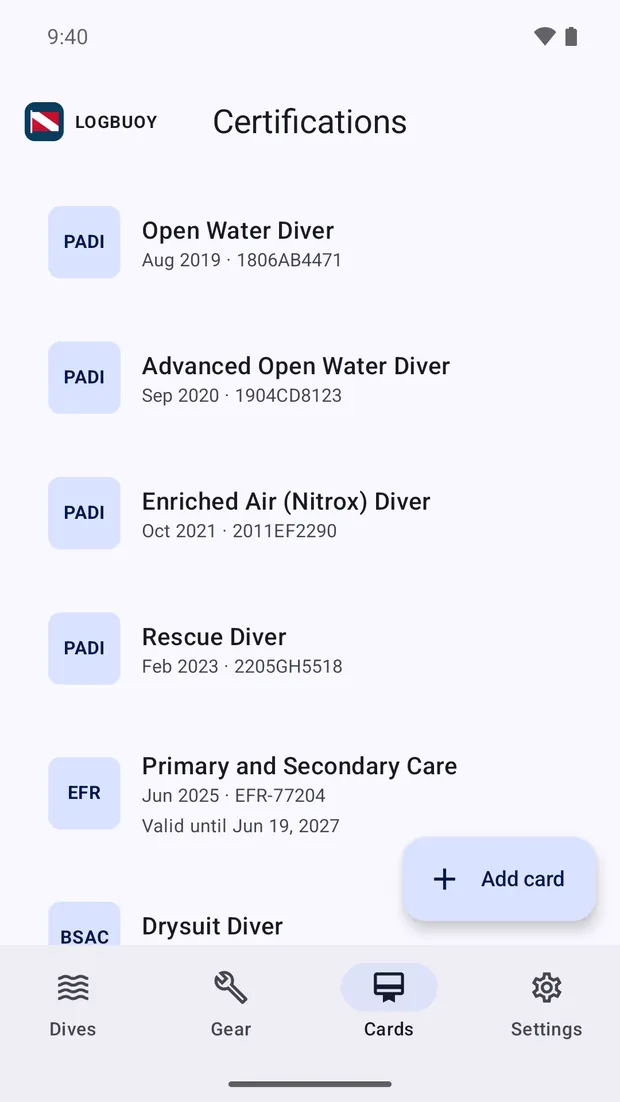
Agency, course, number, date and instructor, with a photo of the card itself. When a dive centre asks for your number and you have no signal, it is right there in your pocket.
Built on diver feedback
Logbuoy came out of feedback from real divers about real problems with the apps they already use. Most of it had nothing to do with missing features. It was about logbooks that vanish, and logbooks you cannot get your dives back out of.
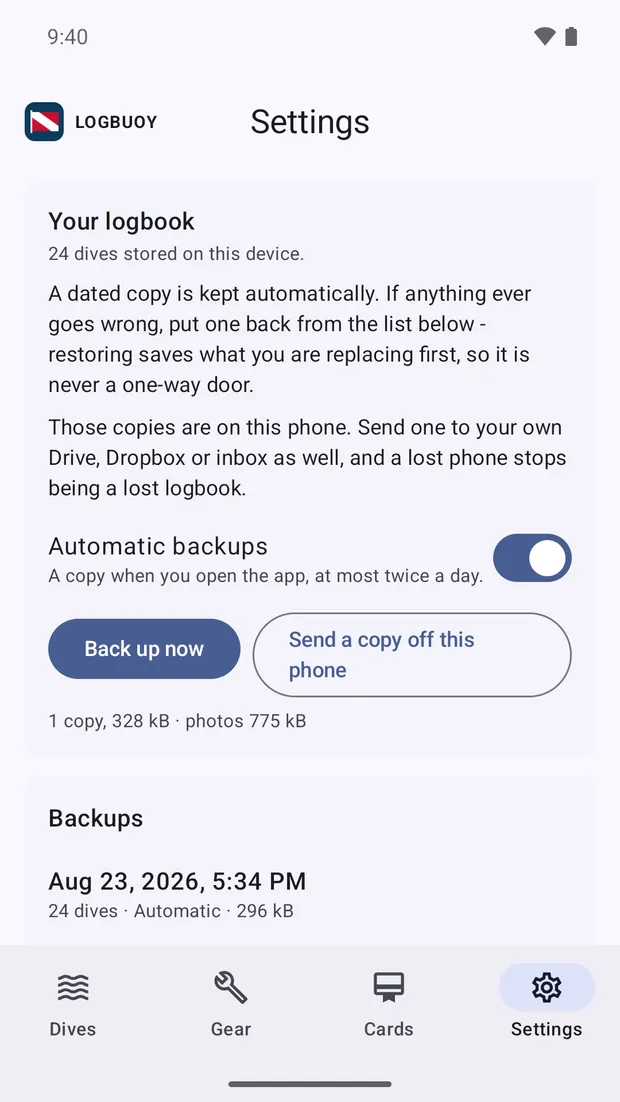
Your logbook is a plain database file sitting on your phone. Logbuoy keeps dated copies of it, and you can restore any of them yourself from inside the app.
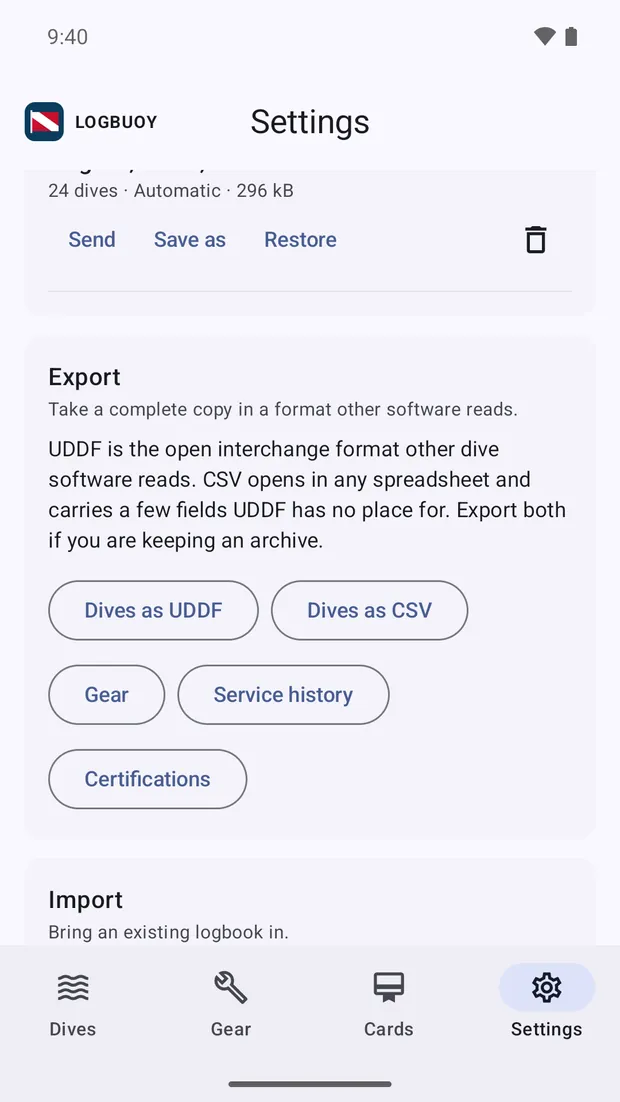
Import UDDF or CSV, including files other people's software wrote. Messy column names, imperial units and older UDDF all read fine, and your depth profiles come across with the dives.
Export the whole logbook as UDDF or CSV, the formats other dive software reads. Everything comes out, right down to the profiles.
A regulator due every twelve months or every hundred dives is due on whichever comes first. Logbuoy tracks both, and sorts your gear so the thing that needs attention sits at the top.
One tap turns your kit list, serial numbers, photos, service history and purchase prices into a PDF. If a bag goes missing or a case floods, that document is your claim.
Logging, reading, importing, exporting and restoring all work with the phone in flight mode. Two things need a connection, and only when you ask for them: looking up the place name for a coordinate, and sending a backup somewhere.
The dive
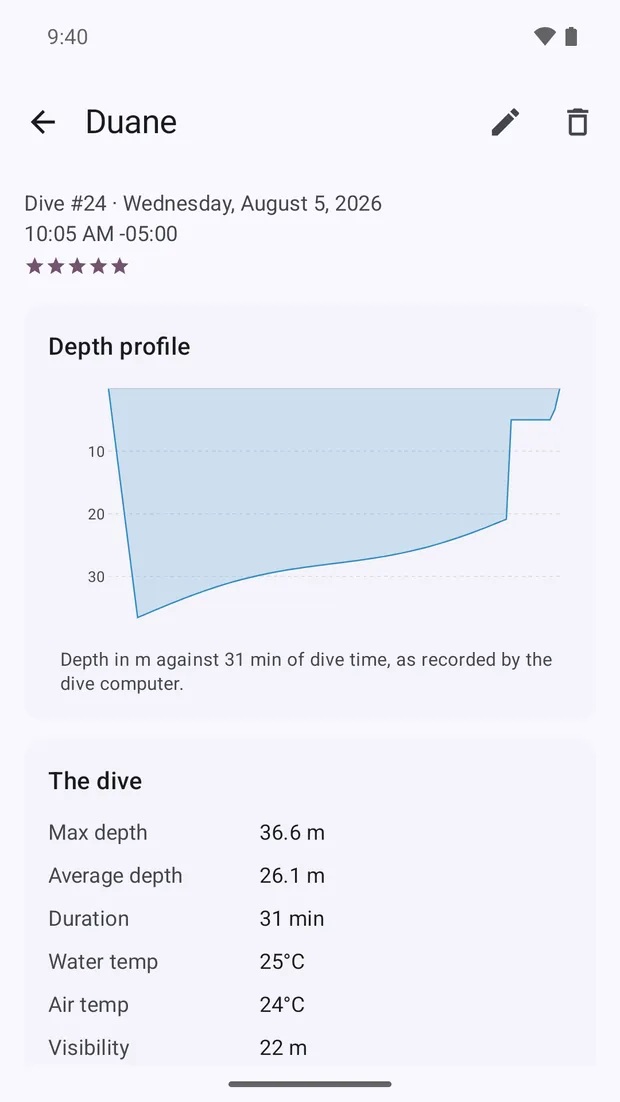
If your dive computer can export a file, Logbuoy reads the profile out of it and draws it. Anything your computer worked out is shown exactly as it recorded it, with the device's name against it.
The kit
Every piece of gear carries its brand, model, serial number, photos, what you paid and in which currency, and the full history of what the shop has done to it. Retired kit stays on the list with a label on it, because a drysuit in the garage is still yours and still worth insuring.
Every screen
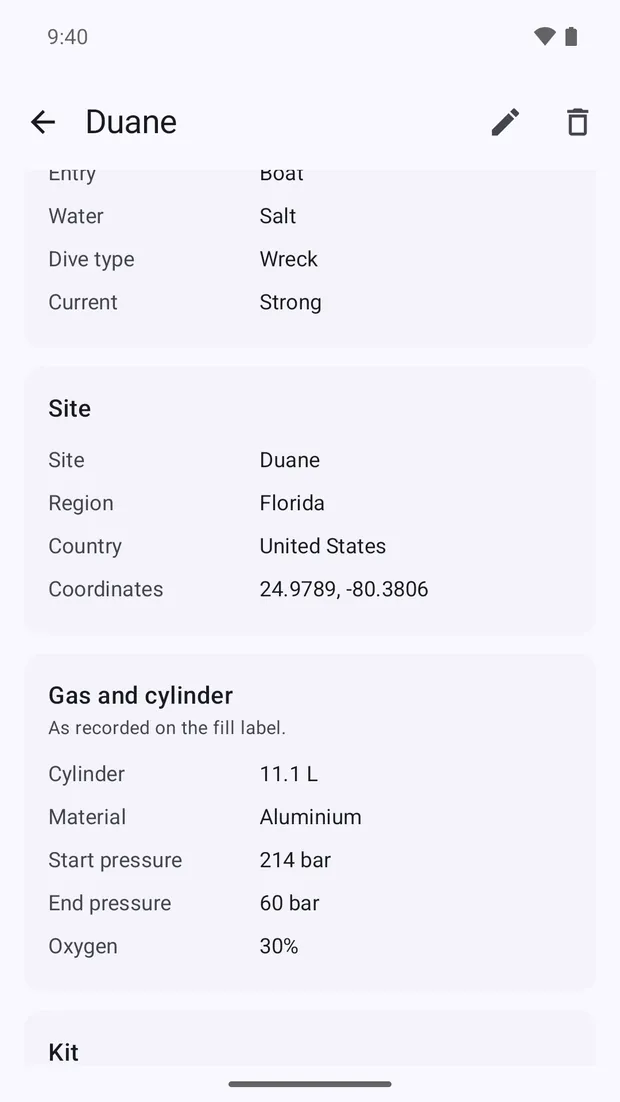
Scroll sideways. Straight screenshots of the app, nothing retouched.
Safety
Logbuoy will not work out a surface interval, a no-fly time, decompression or gas. That is what your dive computer, your tables and your training are for, and we are not putting a phone app in the middle of it.
What you import, you see. If your computer worked a number out, Logbuoy shows it exactly as your computer recorded it, with the device's name against it, and leaves it alone.
FAQ
Something we have missed? Write to support@woodfirelabs.com and we will answer.
No, because we deliberately want to stay vendor neutral. Every manufacturer's Bluetooth protocol is different, undocumented, and changes with firmware, so software that claims to support all of them is really supporting whichever models somebody happened to own.
Logbuoy reads the file your computer or its desktop software exports instead: UDDF or CSV, profiles included.
In a database file on your phone, alongside the photos you attached. Logbuoy keeps dated copies of that file so you can roll back to an older one yourself, and you can send a copy to your own Drive, Dropbox or inbox through the share sheet whenever you like.
Yes. Export the whole logbook as UDDF or CSV at any time. UDDF is the interchange format most serious dive software reads, so if you ever stop using Logbuoy your dives come with you.
No. Your secret dive locations are safe and not shared with anyone unless you choose to share them.
The company privacy policy is published in full.
We decided to launch on Android first, but an iPhone version is under development. Stay tuned.
Pricing is shown on the Google Play listing. Your first ten dives are yours to log before you decide, and one purchase then opens unlimited dive entry, the gear locker and your certification cards. We want to make this app ad-free, affordable, and supportable for the long term, but we are a small company. Your purchase means a great deal to us and allows us to keep developing the product.
An Android phone or tablet on Android 8.0 or later. On a tablet the layout adapts: the navigation moves to a rail down the side and the logbook shows more dives at once.
Bring in the dives you already have, log the next one on the boat, and keep the whole thing on a device you own.
 Coming to Google Play
Logbuoy is finished and in testing. The Play listing goes live shortly.
Android 8.0 and up.

The company behind it
Logbuoy is made and owned by Woodfire Labs Limited. A New Zealand software company building robust, cutting-edge solutions with sophisticated engineering and deliberate craftsmanship.